
MacBook Air-ish
Andrew Cunningham
The MacBook Neo sticks closely to the design language Apple has been using for recent MacBook Airs and Pros.
Andrew Cunningham
Andrew Cunningham
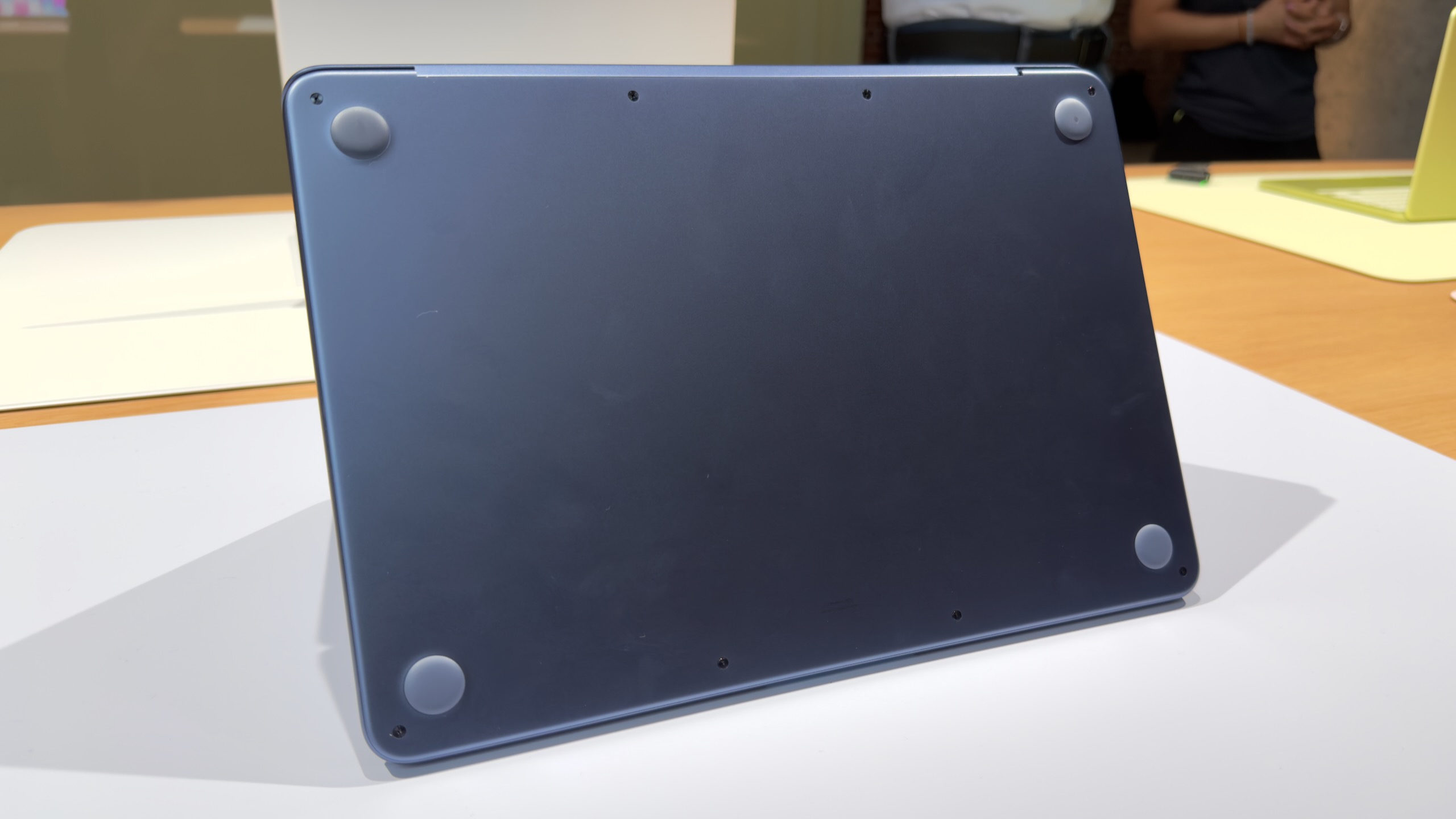
The words “MacBook Neo” don’t appear anywhere on the outside of the machine.
Andrew Cunningham
The MacBook Neo sticks closely to the design language Apple has been using for recent MacBook Airs and Pros.
Andrew Cunningham
The words “MacBook Neo” don’t appear anywhere on the outside of the machine.
Andrew Cunningham
I had assumed, based on Apple’s history with its lower-end iPads and iPhones, that Apple would essentially reuse the design of the old M1 MacBook Air for this new MacBook. The Neo does share quite a few things in common with that older design, including a 13-inch notchless display, a 2.7 lb weight, and a lack of MagSafe connector. But this is actually a new design after all, one that’s more in line with the current Pro and Air iterations.
The Neo is a flat rectangular slab of aluminum with softly rounded edges, more like the current Airs and Pros than the wedge-shaped design of the old M1 Air (also like modern Airs, the words “MacBook Neo” appear nowhere on the exterior of the computer—the name only exists in stores and in software).
The low-end iPad can feel a bit cheap or hollow, partly because of the small gap between the front glass and the non-laminated LCD display underneath. But holding and interacting with the Neo feels substantially the same as interacting with an Air. It is, however, slightly thicker—an even 0.5 inches, up from 0.44 inches for the M4 Air.
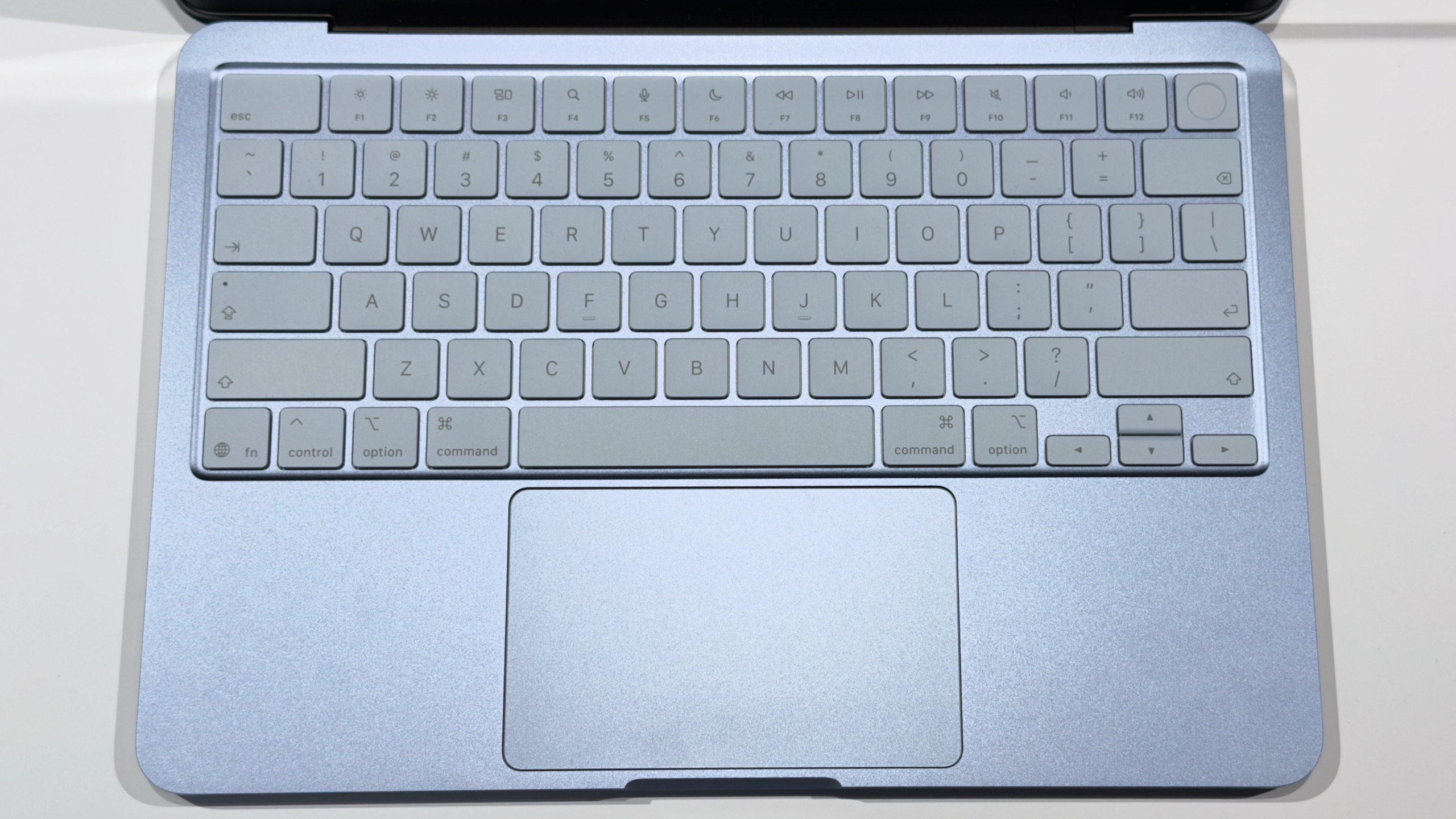
The non-backlit keyboard is a bit of a bummer, although Apple has tried to keep it legible by shifting from white-on-black keycaps to darker legends on a lighter background. But the typing feel is similar to the Air, and we’re told the scissor switches have the same amount of key travel as the switches in the Air keyboards.
Andrew Cunningham
The keyboard and trackpad are mostly standard Apple fare, but the trackpad doesn’t support Force Touch haptics and feels a bit less solid than the Airs and Pros.
Andrew Cunningham
Andrew Cunningham
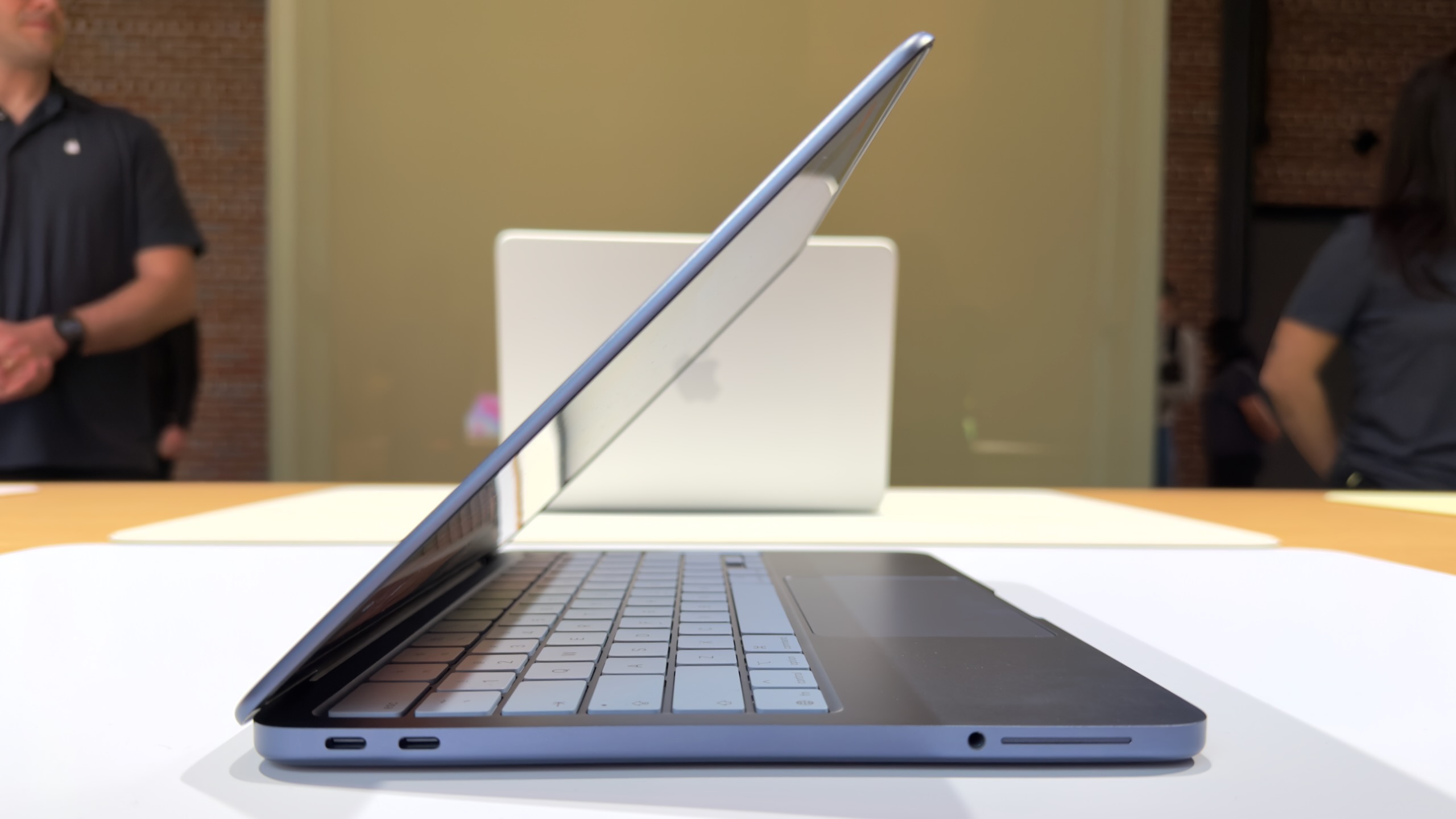
Two USB-C ports, two different sets of capabilities. At least the headphone jack (pictured next to one of the two side-firing speakers) is still present and accounted for.
Andrew Cunningham
The keyboard and trackpad are mostly standard Apple fare, but the trackpad doesn’t support Force Touch haptics and feels a bit less solid than the Airs and Pros.
Andrew Cunningham
Two USB-C ports, two different sets of capabilities. At least the headphone jack (pictured next to one of the two side-firing speakers) is still present and accounted for.
Andrew Cunningham
The multi-touch trackpad is a little weirder. It looks a lot like Apple’s other trackpads, but it actually has a physical clicking mechanism rather than the haptic feedback Apple has used in its laptop trackpads and Magic Trackpads for years. That means there’s no Force Click functionality and no controls for adjusting the firmness or noisiness of the clicking sensation.